PONNE garage · in development
Fire the
perfect clip.
Cut a clip from any YouTube link or local file, lay it out as a pad, and fire it with a wheel button or a hotkey — straight into your game and stream, even while iRacing has focus. Free while in beta — no subscription.
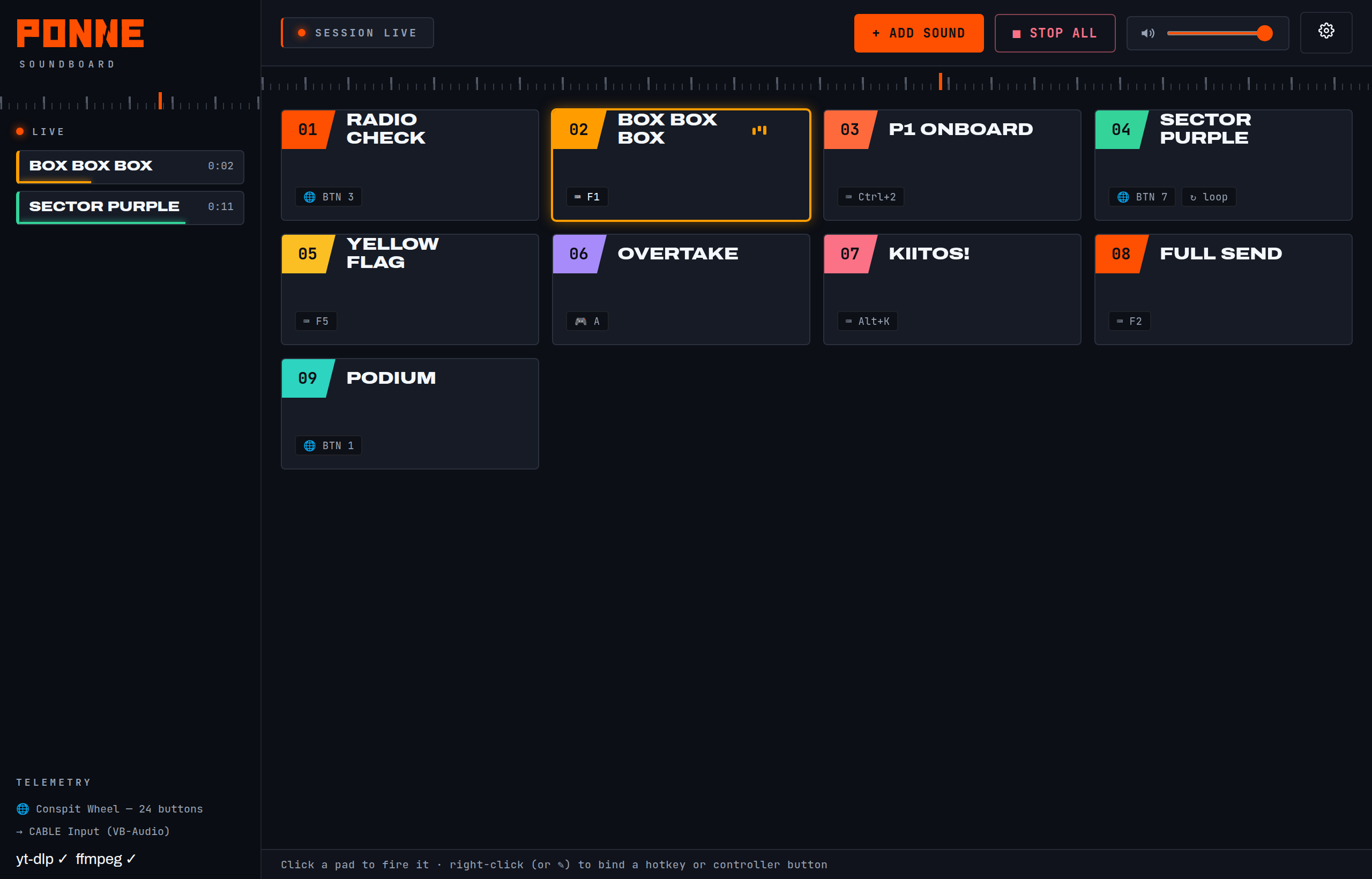
Pads are dragged, coloured and bound in seconds. The live tower shows what's playing; the meter reads your real output level.
S1 · What it does
A soundboard that
keeps up with the race
Built for the same wheel-and-pedals setup as the overlays — global triggers, sharp graphics, race-ready.
YouTube or file
Paste a link or drop a video/audio file — the audio downloads and shows up as a waveform, ready to trim.
To the millisecond
Drag the orange handles, zoom, preview, nudge by 10 ms. Fades and loudness-normalize included. Re-trim any time — the source is kept.
Fire mid-corner
Bind any pad to a keyboard combo — global, so it fires even while your game has focus.
Off your wheel
HID button boxes and sim wheels are read natively and globally — bound buttons fire even while iRacing or Discord has focus.
Game + your ears
Send the clip to your virtual cable so the stream hears it, and to your headphones so you do too.
Your clips, your machine
Pads, hotkeys and clips live locally and work fully offline.
S2 · Into your stream
Three steps
to on air
Games and OBS listen to a microphone, so we route the soundboard through a virtual audio cable and point them at it.
Play into the cable
Set the soundboard's output to a virtual cable (VB-Audio), and monitor to your headphones.
Point OBS at it
Add the cable as an audio input in OBS — or set it as your Discord mic for team races.
Fire away
Hit a pad from your wheel or keyboard. The stream hears it instantly; so do you.
S3 · Get it
On the
bench.
PONNE Soundboard is in development. It'll land in the garage here — free while in beta, no subscription.
Windows 10 / 11 · bundles yt-dlp + ffmpeg · reads HID controllers natively